What is Everkin Labs?
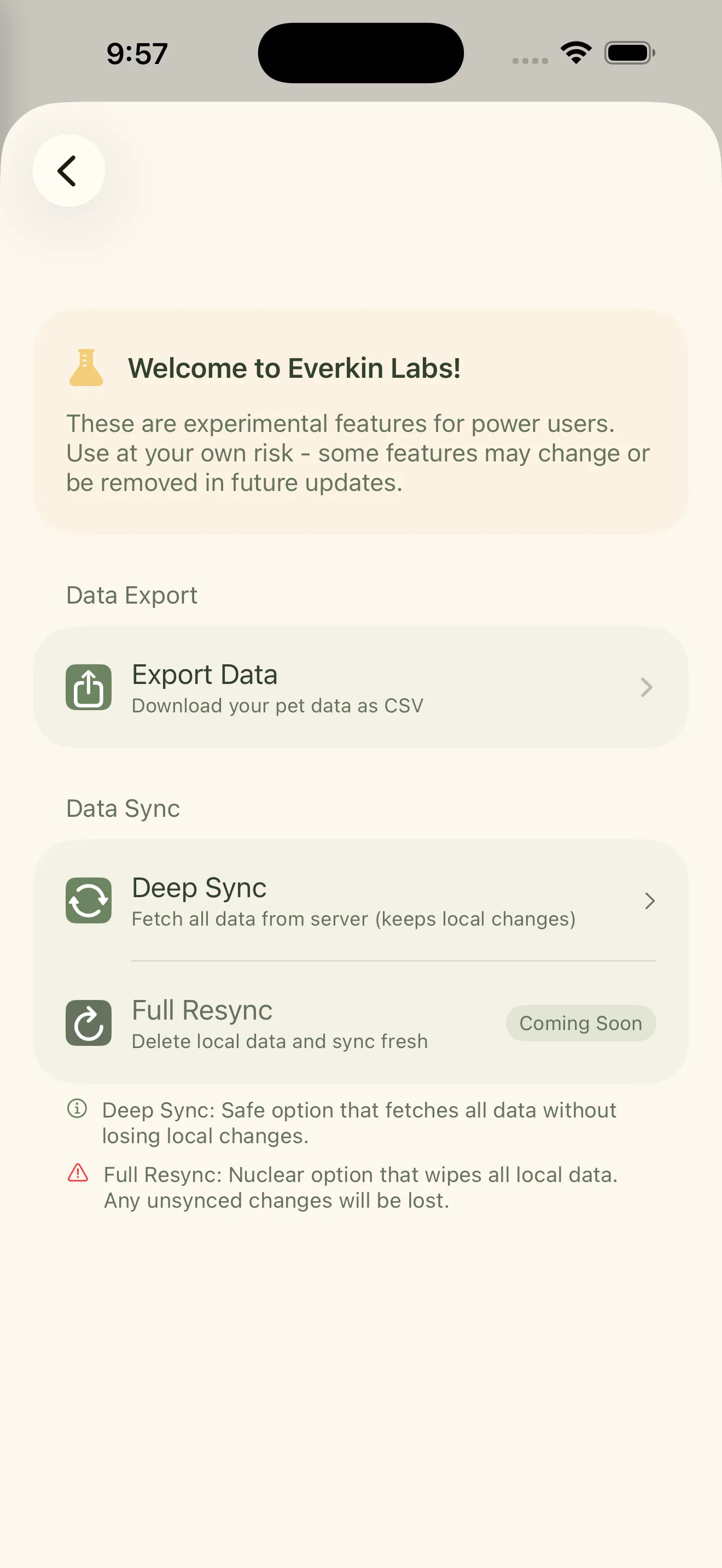
Everkin Labs is our experimental feature playground. It’s where we ship new ideas early, get feedback from real users, and iterate fast. Features in Labs are fully functional but may evolve based on what we learn.
Think of it as a behind-the-scenes look at what we’re building next. You get to try things before they’re “finished,” and your feedback directly shapes the final product.
What’s in Labs right now
Data Exporting
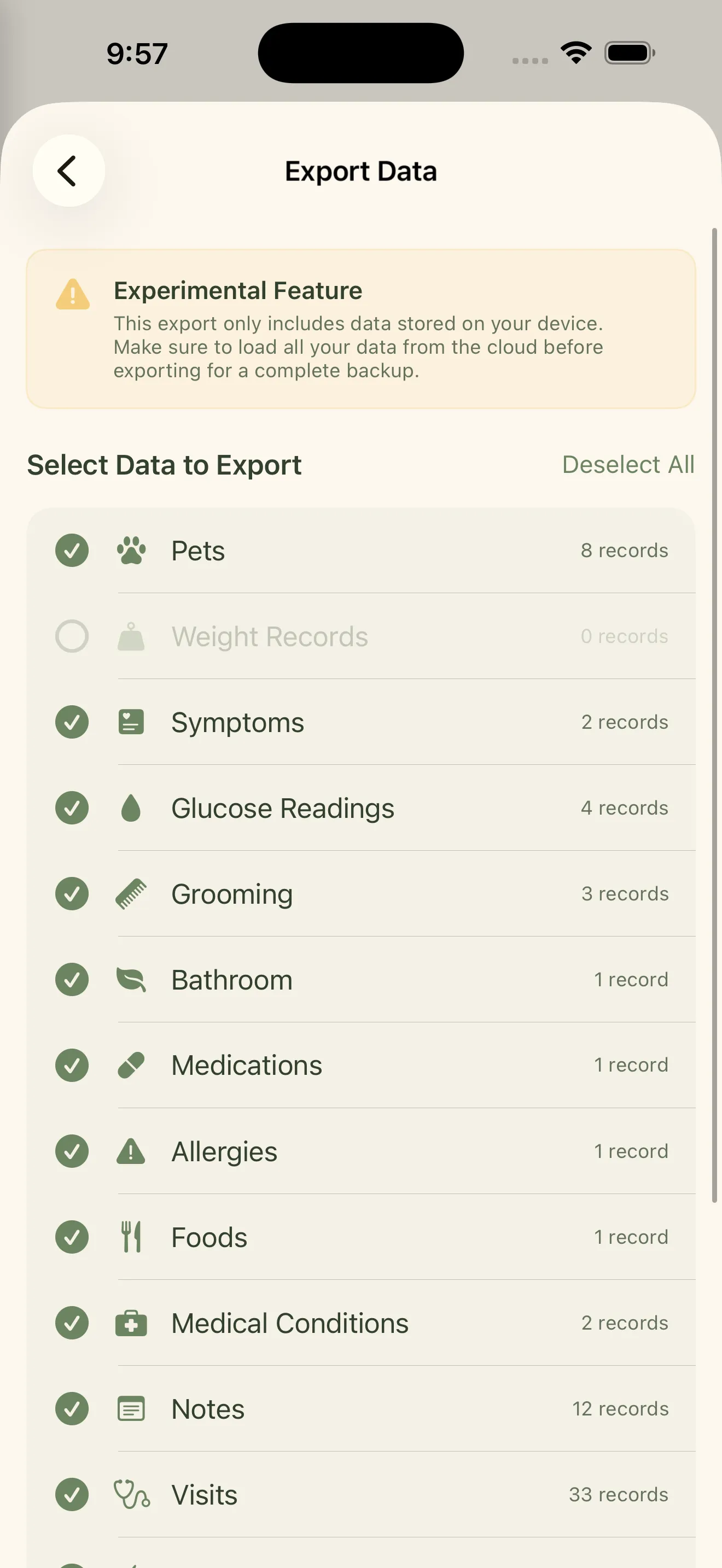
Your pet’s data belongs to you. With CSV export, you can download all of your pet’s health data in a spreadsheet-friendly format - weight history, glucose readings, symptom logs, feeding records, and more.
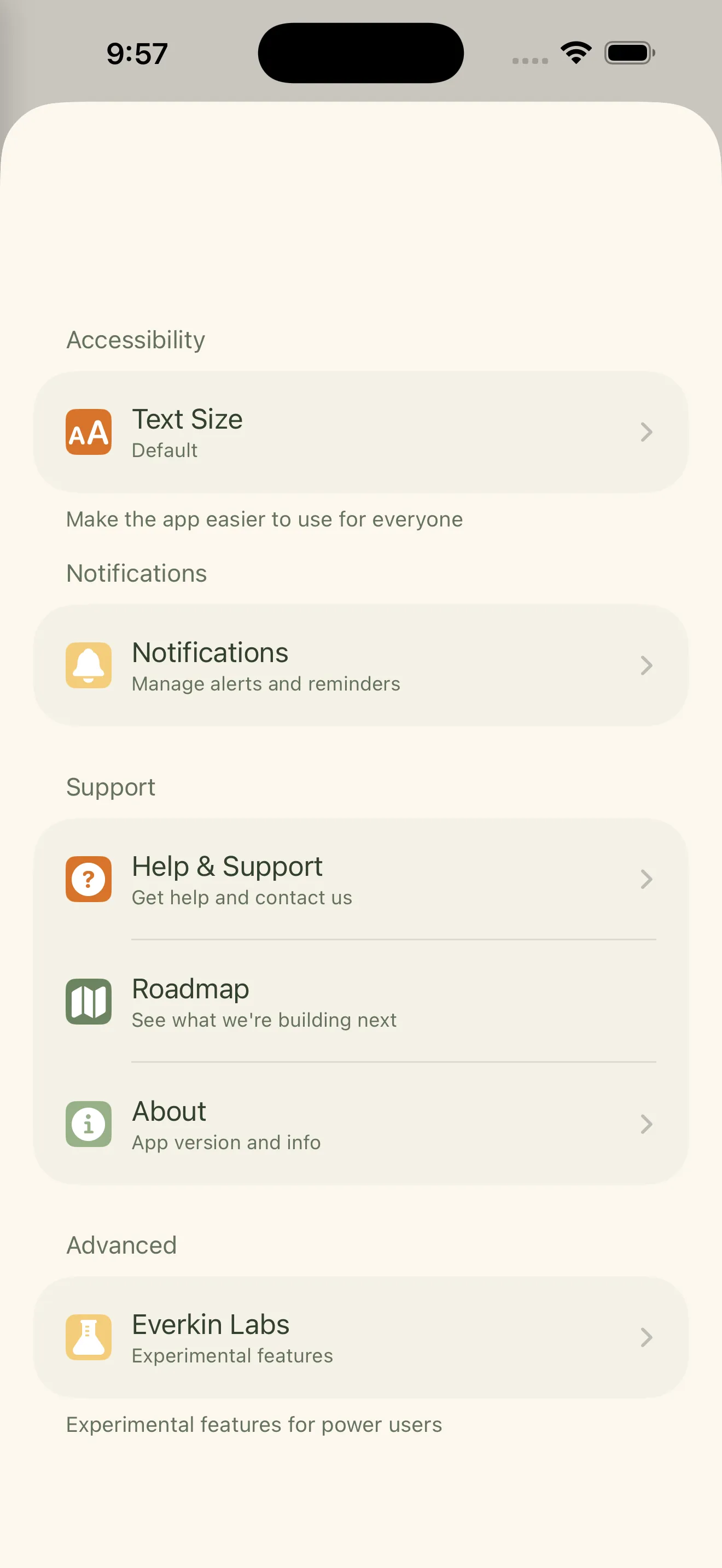
How to use it: Navigate to Settings > Everkin Labs > Export Data. Choose the pet and the data types you want to export, and Everkin will generate a CSV file you can open in Excel, Google Sheets, or any spreadsheet app.
Use cases: Backing up your data, sharing detailed records with a specialist, analyzing trends in your own spreadsheets, or switching to a different tracking tool without losing everything.
PDF Summaries, now part of Everkin+
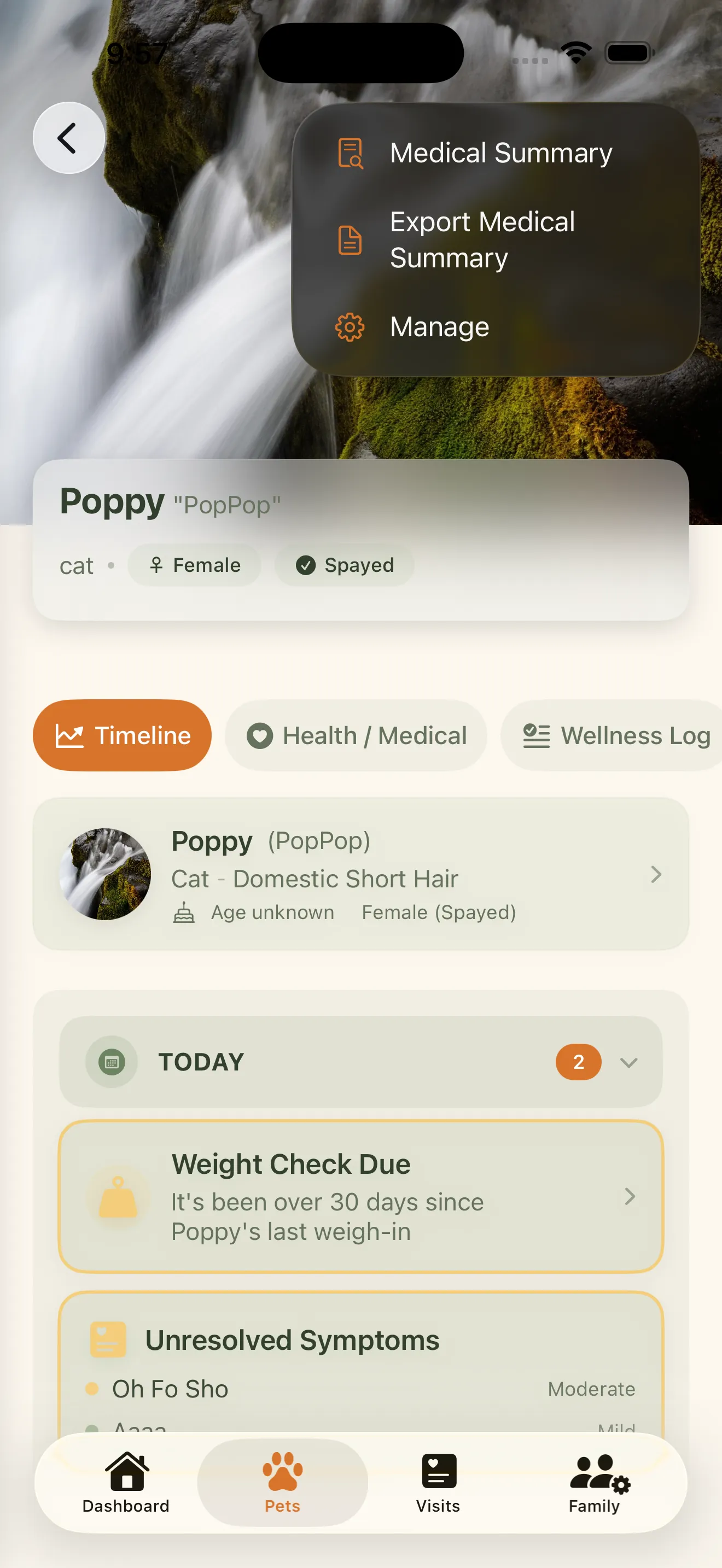
Heading to the vet? Generate a one-tap medical summary that includes your pet’s recent vitals, medications, symptom history, and key health events. It’s formatted as a clean, professional PDF you can share directly from your phone.
How to use it: PDF summaries started in Labs and have since moved into the app. Open your pet’s profile, tap the menu in the top-right corner, and choose “PDF Medical Summary.” You can share the PDF via AirDrop, email, or any sharing method your phone supports. PDF summaries are part of Everkin+.
No more fumbling through apps during an appointment. Hand your vet a complete, organized summary and spend the visit talking about your pet instead of scrolling through your phone.
What’s Coming Next
Labs is always evolving, and features graduate out of it. Smart health insights have since shipped as part of Everkin+, and intelligent document scanning for vet paperwork is next on the Everkin roadmap.
Have an idea for what we should build next? We’d love to hear from you. Open the side menu in the app and tap Contact to request features or report bugs directly from Everkin. Your feedback goes straight to our team and helps shape what comes next.