When a pet owner needs help, whether they’re traveling, working long hours, or just need an extra set of hands, they can invite you into their Everkin household as a caregiver.
Caregiver Mode gives you temporary, limited access to everything you need to take great care of their pets. You’ll see the pets in the household, their health details, and important notes the owner has left for you. You can log check-ins, track health data, and make sure nothing falls through the cracks.
For the owner-focused overview, read the pet sitter and caregiver access guide.
Think of it as a shared dashboard built for trust. The owner stays in the loop, and you have the tools to do the job well.
Accepting Your Invite
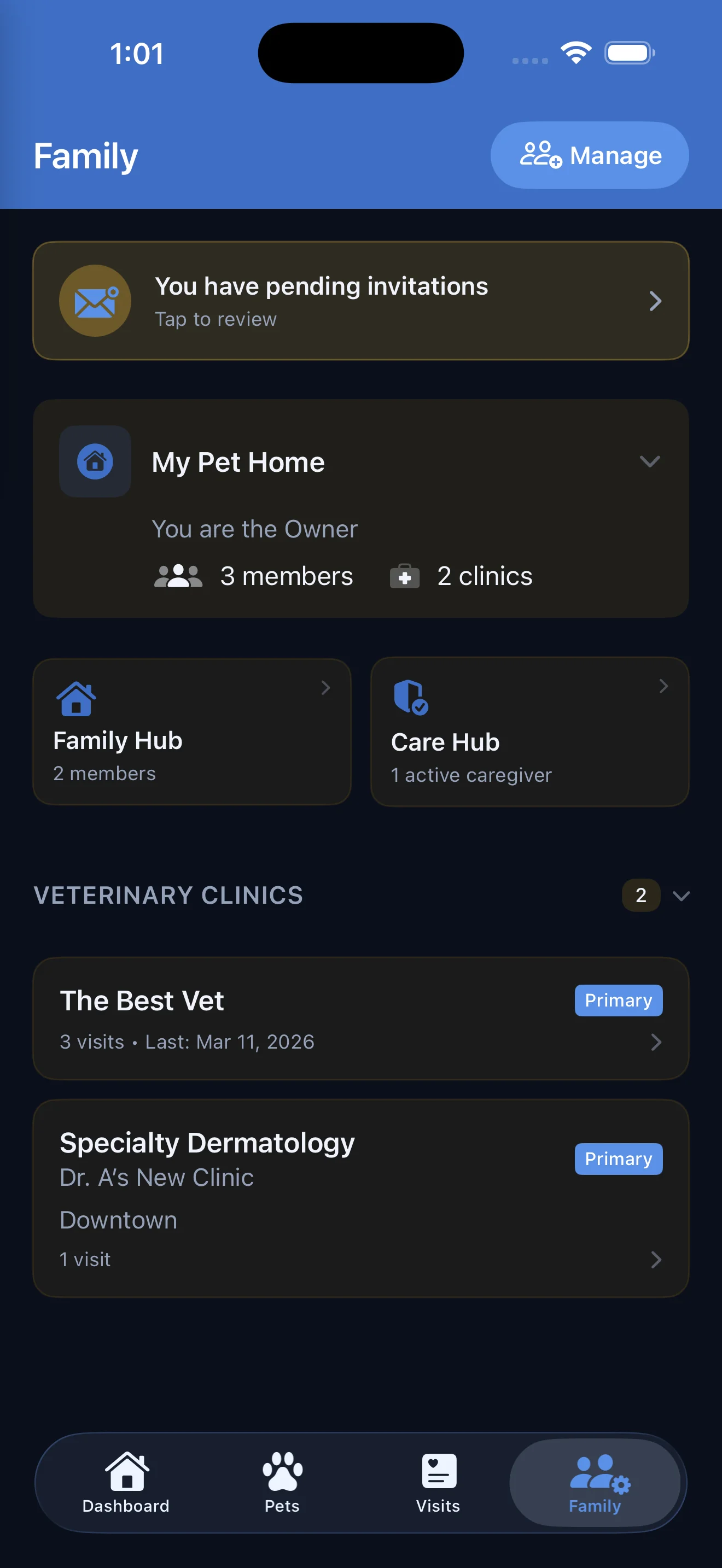
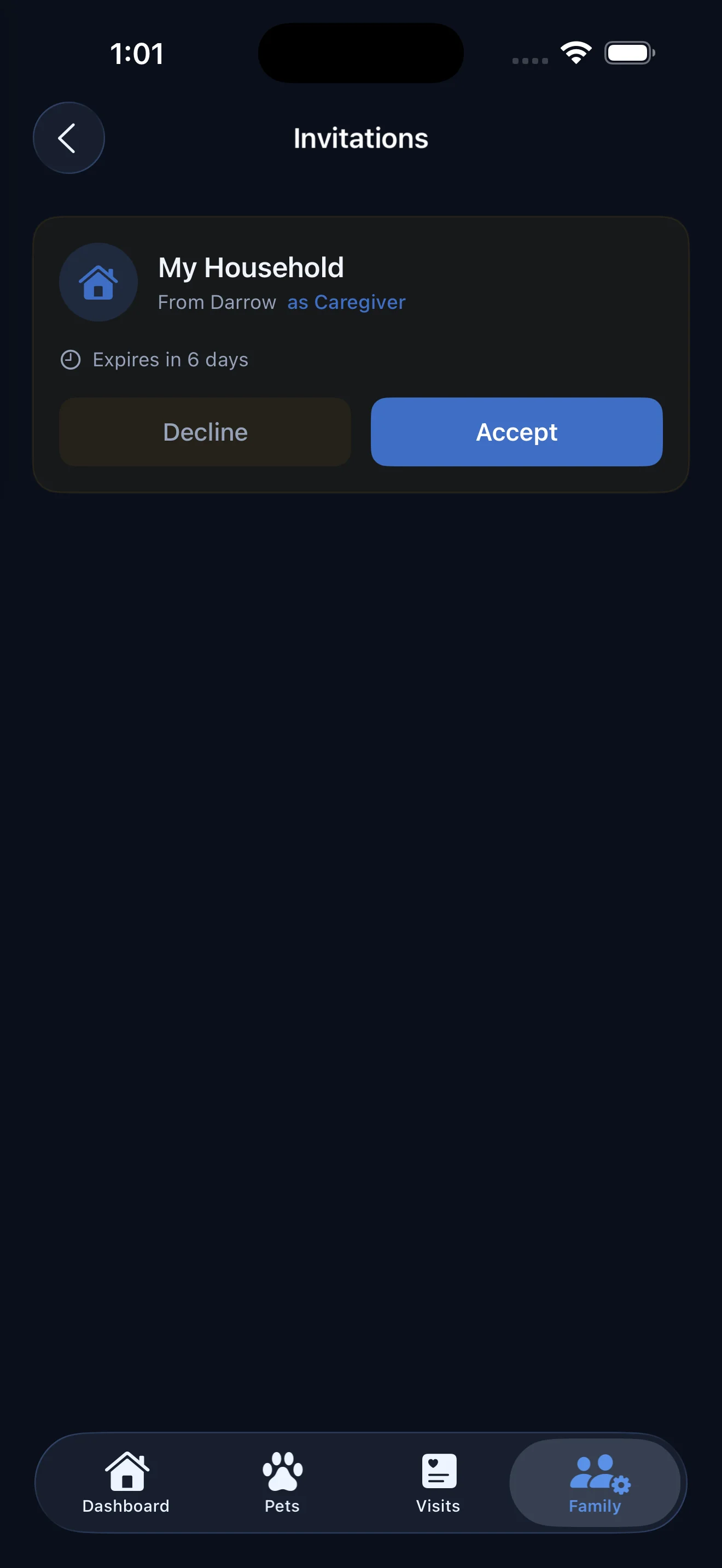
Getting started is simple. The pet owner will share an invite code with you directly, whether that’s over text, email, or even written on a sticky note.
Open the Everkin app, head to the Family tab, and enter the code. That’s it. You’re in.
Each invite comes with a time limit set by the pet owner. It might be a weekend, a full week, or longer. You’ll have access to the household and its pets for the duration of your invite. Once the window closes, your access ends automatically.
Completely Free for Caregivers
Good to know: You do not need an Everkin+ subscription to be a caregiver. The household owner needs Everkin+ to send caregiver invites, but as a caregiver you pay nothing. Download the app, enter your invite code, and you’re ready to go.
We believe the people helping care for pets shouldn’t have to pay for the privilege. Whether you’re a professional pet sitter or a neighbor checking in on a friend’s cat, Caregiver Mode is completely free for you.
One App, Multiple Households
If you’re a professional pet sitter or dog walker, you probably care for more than one family’s pets. Everkin is built for that.
You can be an active caregiver for multiple households at the same time. Each household appears separately in the app, so you can easily switch between clients without mixing anything up.
No need to juggle spreadsheets or group chats. Every household’s pets, notes, and vet info live in one organized place.
How to Enter Caregiver Mode
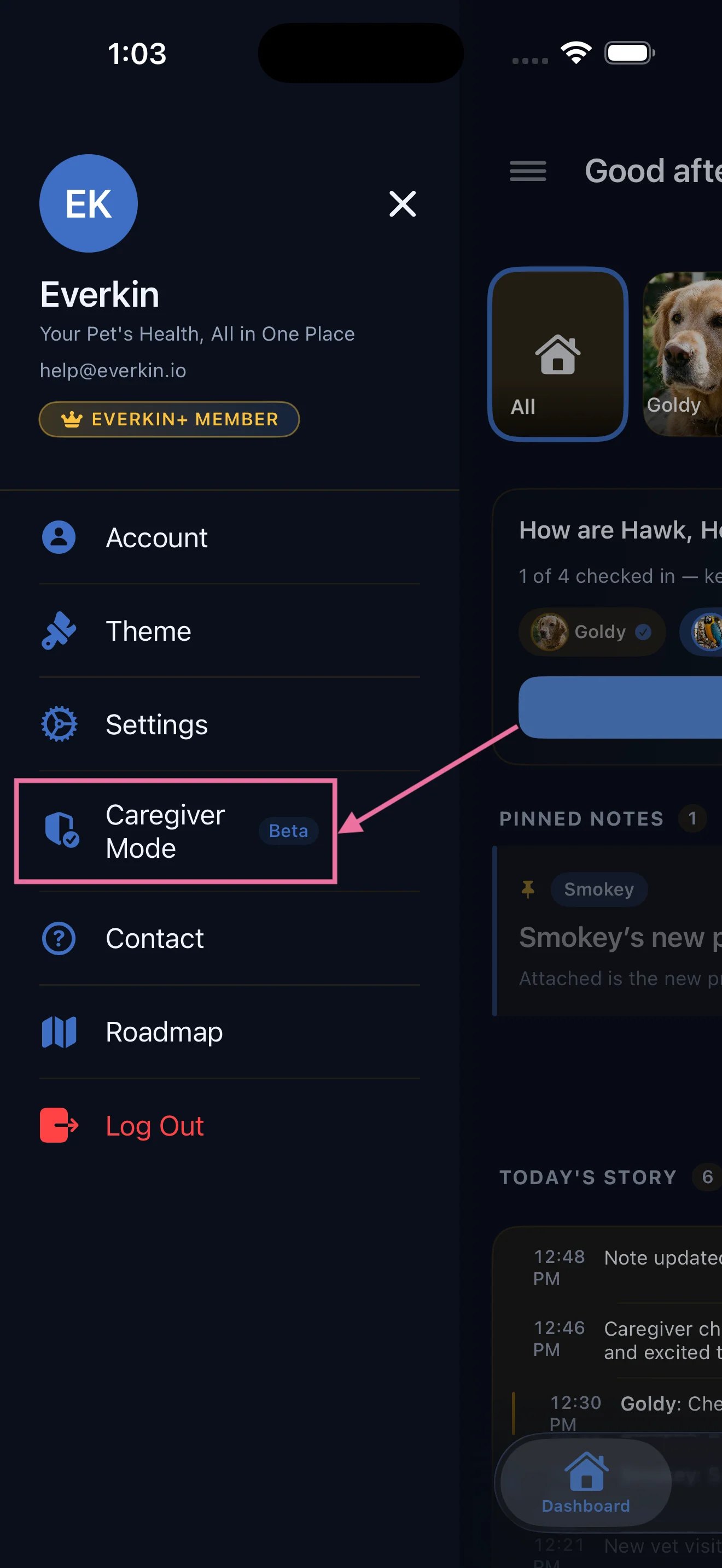
Once you’ve accepted an invite, switching into Caregiver Mode is straightforward.
Open the Everkin app and look for the Caregiver option in your navigation. Tap into the household you want to manage, and you’ll see the pets, their profiles, and all the tools available to you.
You can switch between your own pets (if you have any on Everkin) and your caregiver households at any time. The app keeps everything clearly separated so you always know whose pets you’re looking at.
Daily Check-ins to Keep Owners Updated
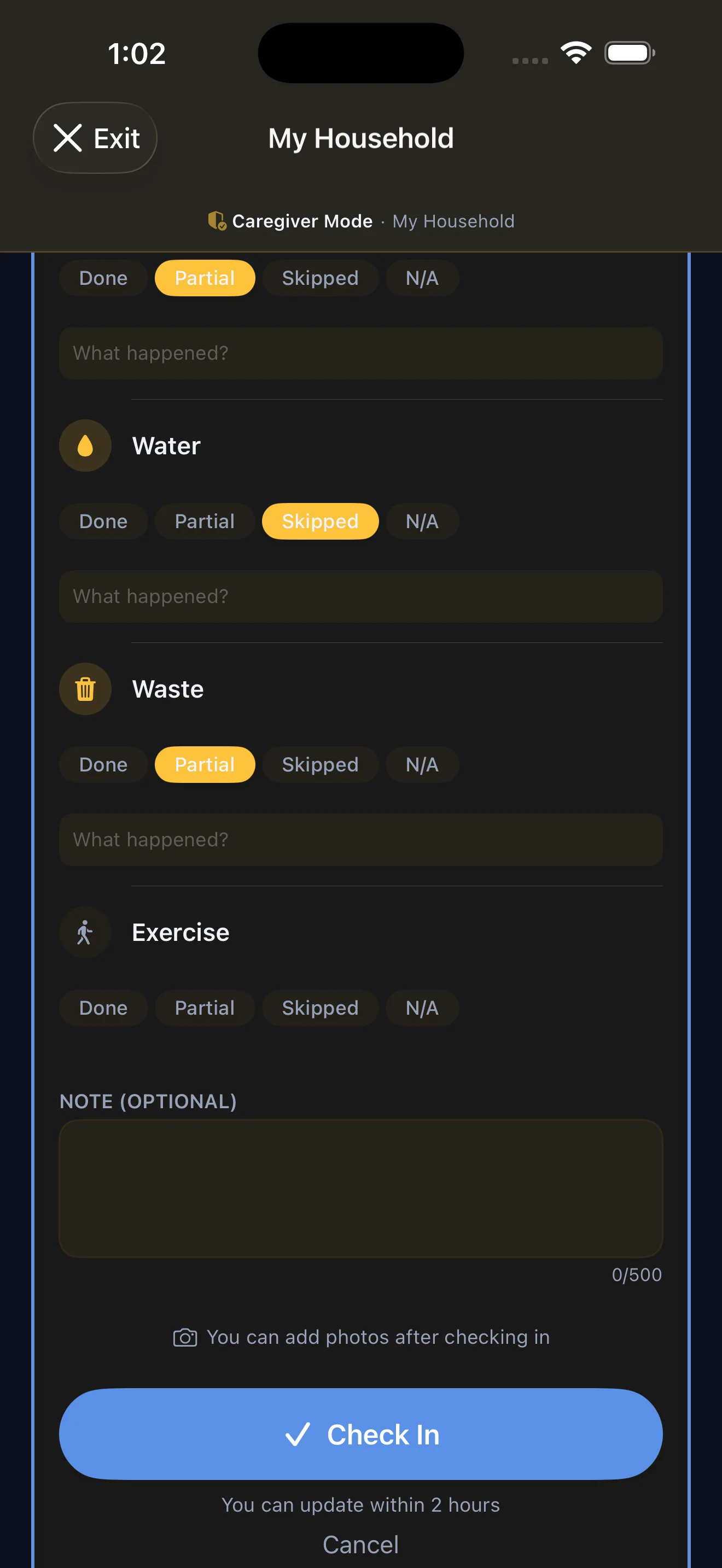
The heart of Caregiver Mode is the daily check-in. Every two hours, you can create a new check-in for the pets in your care.
Each check-in lets you add notes about how the pets are doing. Had a great walk? Note it. Noticed something unusual? Write it down. You can also attach photos, which owners love seeing while they’re away.
Check-ins create a clear, timestamped record of care. They give the pet owner peace of mind and give you a simple way to communicate without back-and-forth texting.
How it works: Check-ins can be submitted every 2 hours. Each one supports text notes and image attachments.
Vet Clinics at Your Fingertips
Emergencies don’t wait for the owner to answer the phone. That’s why Everkin gives you instant access to the vet clinics the owner has already set up.
You can view both the primary vet clinic and the emergency vet clinic for the household. Names, addresses, phone numbers. Everything you need to act fast if something goes wrong.
No more digging through texts or searching online. The information is right there, ready when you need it.
Log Health Data for Every Pet
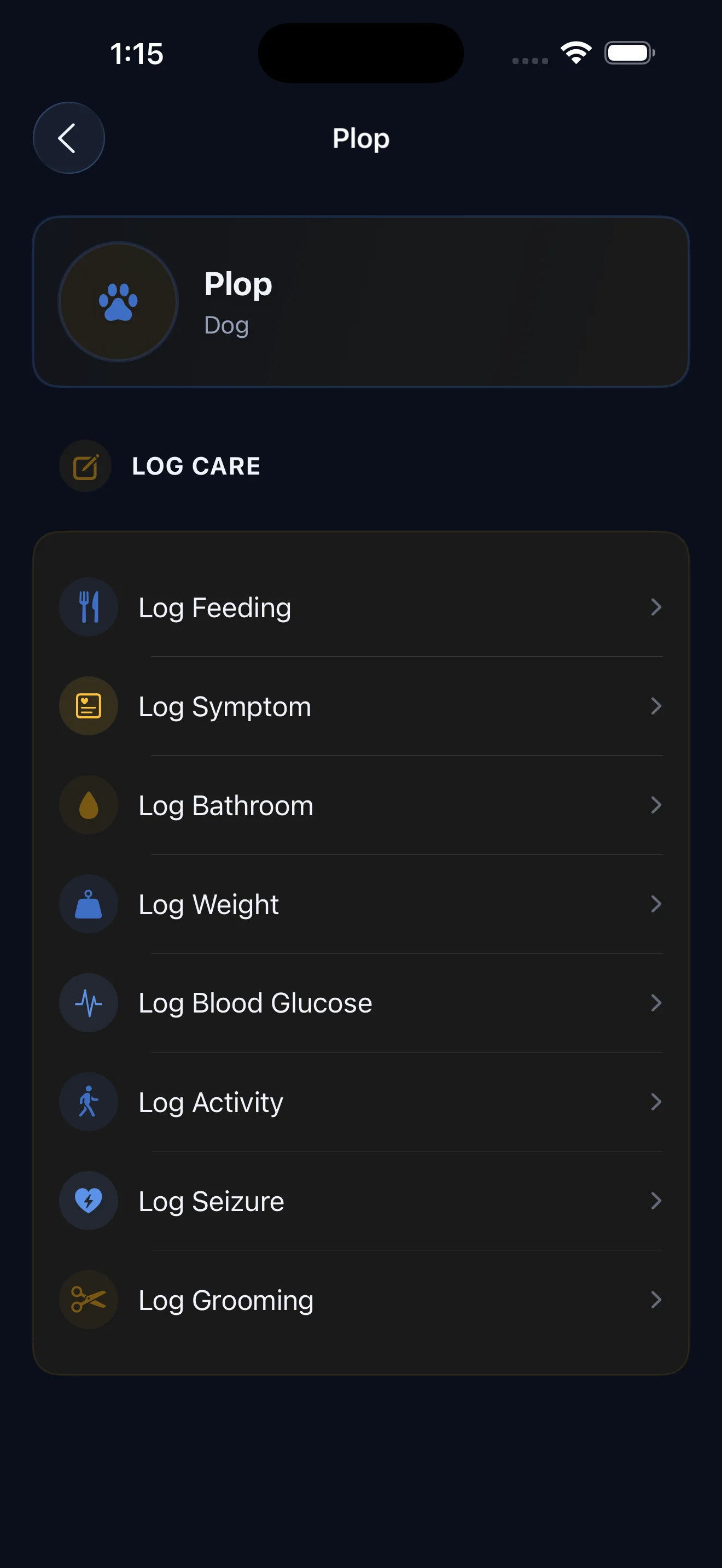
Some pets need more than a walk and a meal. If a pet has ongoing health needs, you can log individual data points right from the app.
Caregiver Mode supports logging glucose levels, weight measurements, and other health metrics the owner tracks. Each entry is tied to the specific pet and timestamped automatically.
This is especially valuable for pets with chronic conditions. The owner can review the data when they return and share it with their vet, creating a complete picture of their pet’s health even when they’re not the one providing care.
Notes from the Owner, Just for You
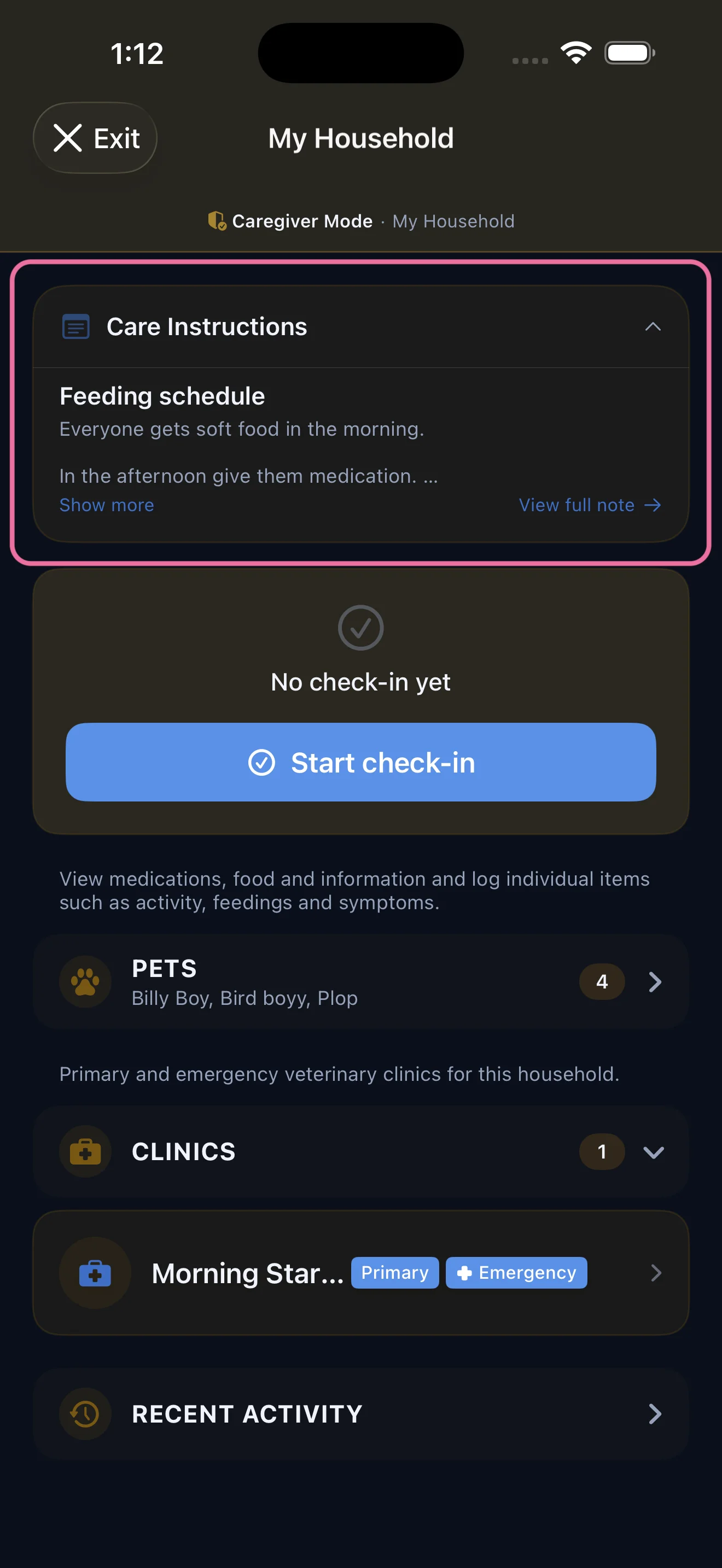
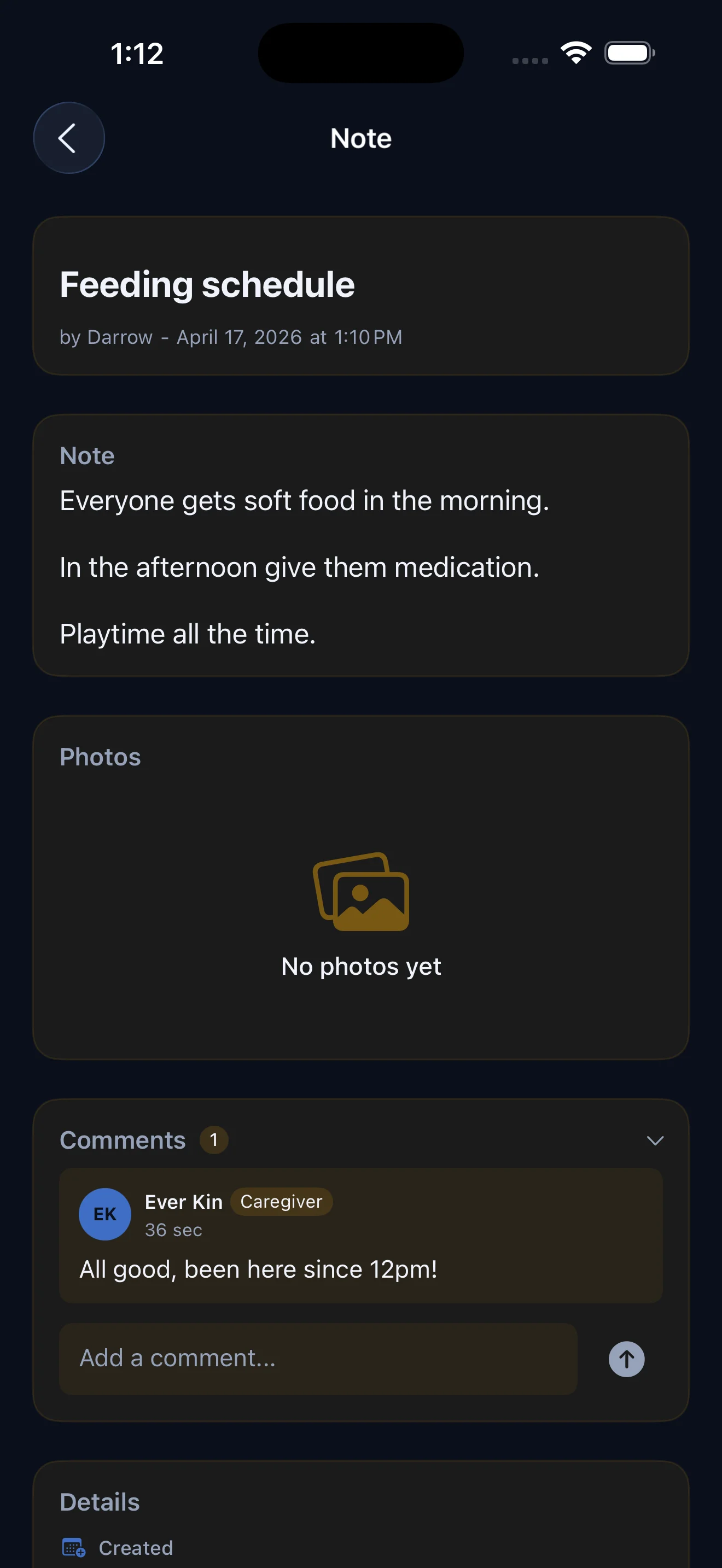
Pet owners can tag specific notes to be visible to their caregivers. These are the details that make all the difference: feeding schedules, medication timing, behavioral quirks, favorite toys.
When you open a household in Caregiver Mode, you’ll see these shared notes front and center. No guessing about whether the dog gets half a cup or a full cup of food. No wondering if the cat’s medication is morning or evening.
It’s everything the owner wants you to know, organized and easy to find.
Owners Stay in the Loop, Automatically
Every time you submit a check-in or log a health update, the pet owner gets a push notification. They don’t need to open the app and check. They don’t need to ask you for updates. It just happens.
This means the owner can relax knowing they’ll hear about every walk, every meal, and every “your dog is doing great” note you leave. And if something needs attention, they’ll know right away.
It’s peace of mind for them and less work for you.
Ready to Get Started?
Caregiver Mode was designed to make pet care simpler, more transparent, and more collaborative. Whether you’re watching a neighbor’s goldfish for the weekend or managing a roster of clients as a professional sitter, Everkin gives you the tools to do it well. Ask the pet owner for your invite code, download the app, and you’re ready to go.