Their meds, handled - by the whole house.
Everkin gathers every pet's doses for a time of day into one shared reminder. Nobody double-doses, nobody forgets, and "did she already get it?" stops being a question.
What a routine is
One time of day. Every pet's doses. A single reminder.
A routine is a time block your whole household shares - Morning, Afternoon, or Evening. Instead of a separate alarm for every pill and every pet, Everkin gathers all the doses due at that time into one place. Give a medicine at 8am to three different pets, and that's one reminder, one checklist, one tap each to mark it done.
How to create one
From zero to a routine that runs itself, in four steps
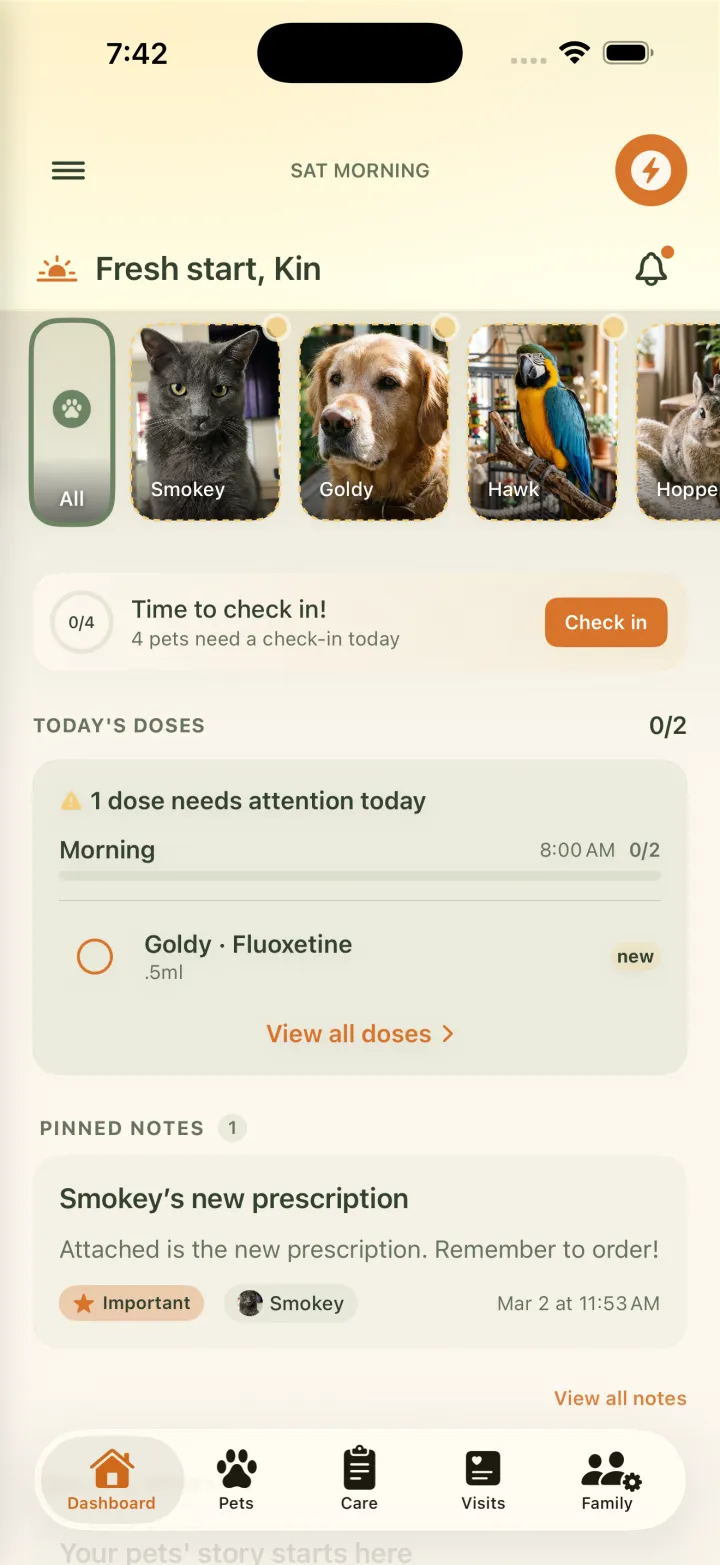
Open the Care tab
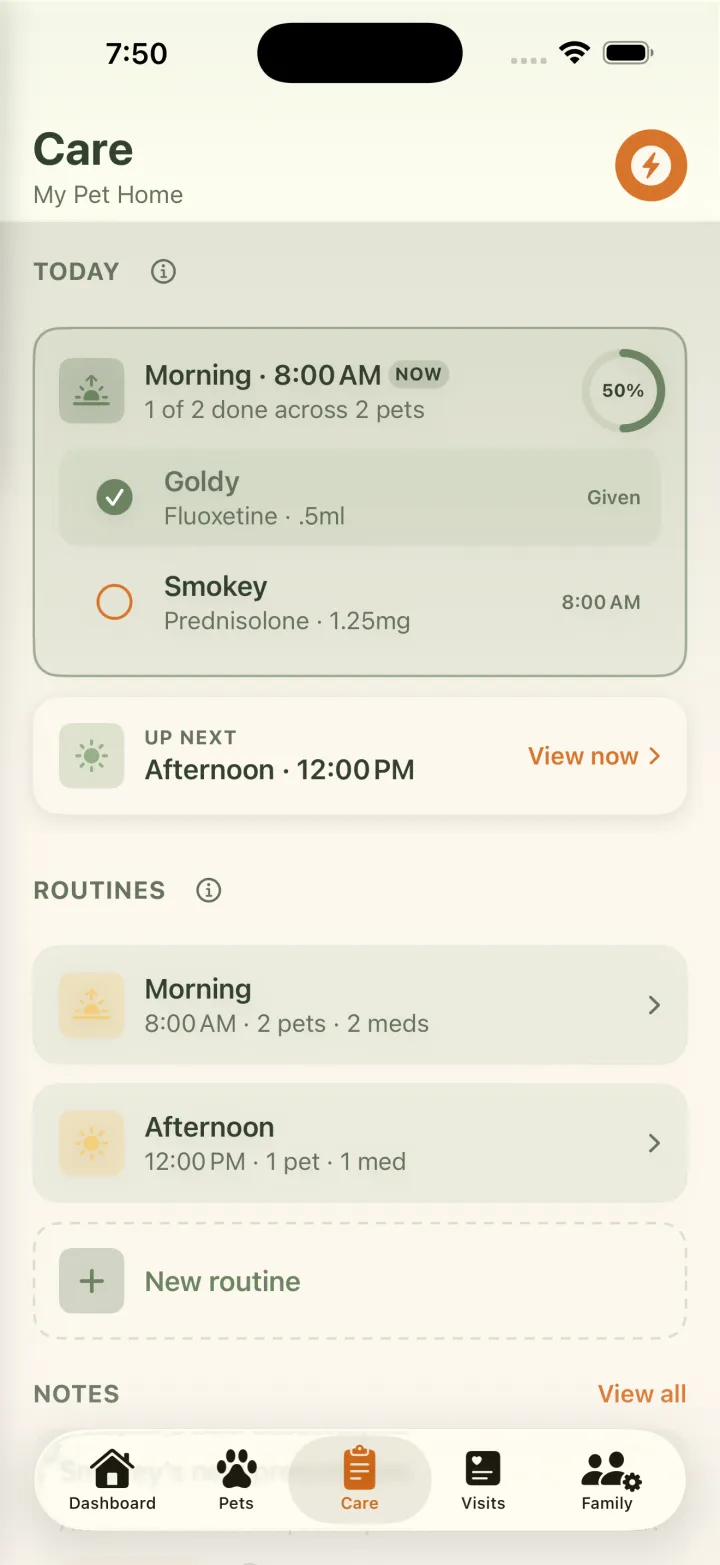
Everything about your pets' medications lives in the Care tab. It's where today's doses and every routine sit together, shared with everyone in the household, so the meds never live in one person's head.
Create a routine
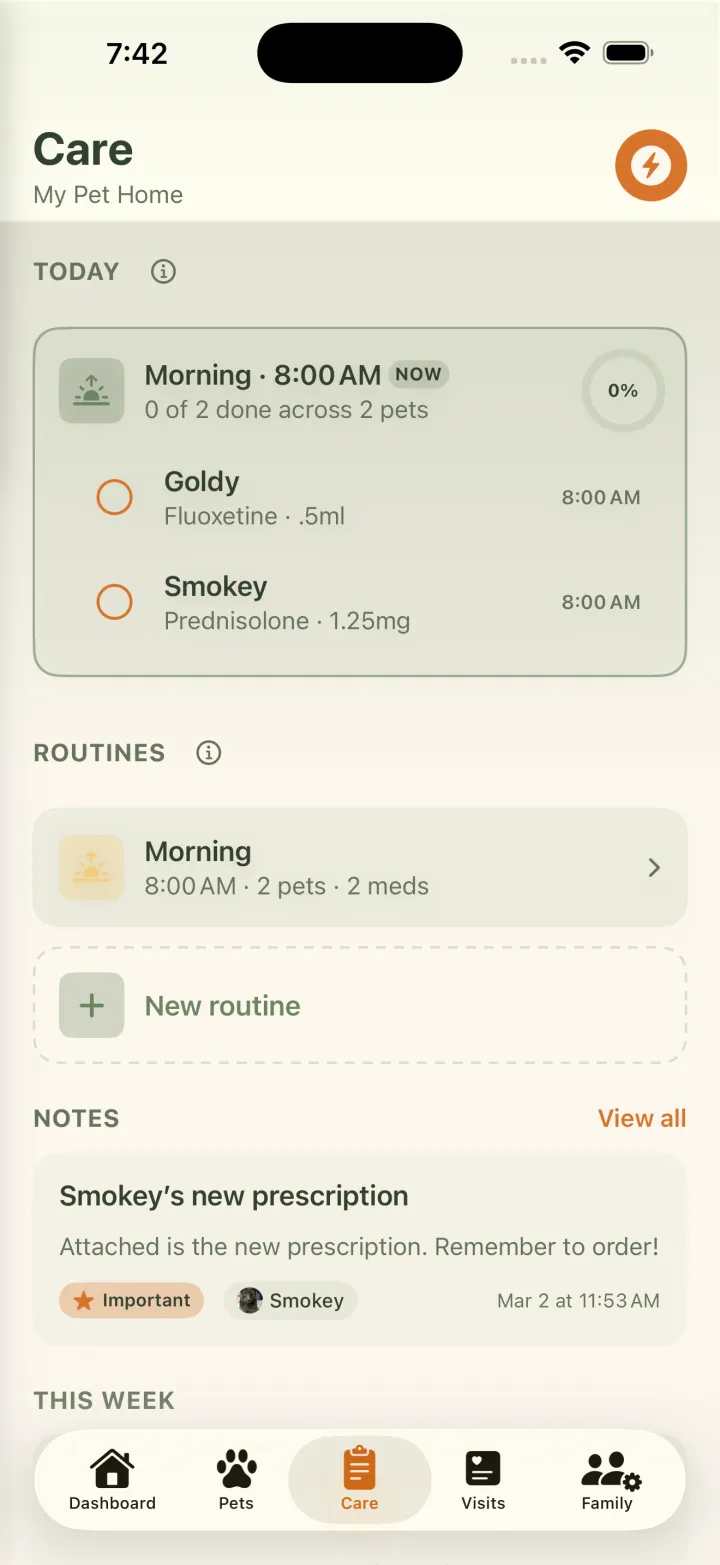
Tap the bolt, choose New Routine, and pick a time block: Morning, Afternoon, Evening, or a Custom time of your own. The time is always yours to adjust, and the reminder stays on by default.
Add the medications
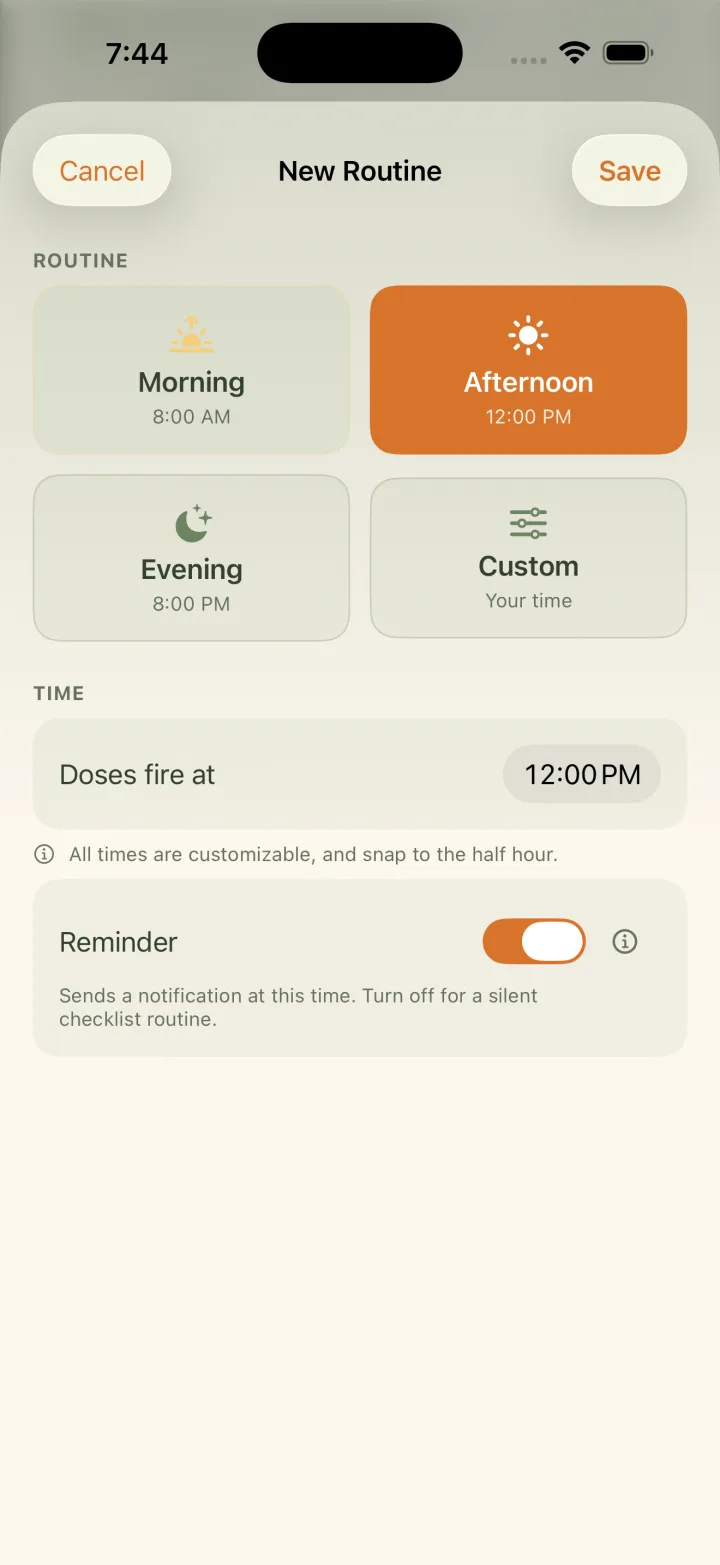
Inside the routine, tap Add Medication, choose a pet, then one of their meds. The dose pre-fills and stays editable, so a one-tablet morning and a half-tablet evening are simply the same medication placed twice.
9:41
Saturday, June 27
EverkinnowMorning routine · 8:00 AM
Goldy and Smokey have 2 doses due. Tap to check them off.
Let it run
When each time block comes around, everyone in the household gets a single reminder listing every dose that's due. One ping for the whole house, not a dozen scattered alarms.
When it's time, just check it off.
Open Today and you'll see a progress ring and every dose due, grouped by pet. Tap once to mark a dose Given, or use Give all to clear a pet's doses at once. Need more than yes? Record dose captures exactly what happened, with room for a quick note.
- Progress ring
- Grouped by pet
- One-tap Given
- Give all
- Record dose
Record a dose as
How reminders reach you
Quiet when it can be, loud when it counts
One reminder per routine
A single push at each time block, sent to the whole household, so whoever is closest to the bottle gets the nudge.
The urgent ones stand out
New meds, short courses, and doses ending soon rise into a Needs attention group and get named right in the notification.
A glance from your dashboard
Add the Today's doses card to your dashboard to see how the day is going at a glance, without opening anything.
Your first routine is on us.
Every household gets one routine free. Add as many as your pets need with Everkin+. And reminders for short-term courses are always free, on every plan, because some doses you simply shouldn't miss.
Common questions
How many medication routines can I create for free?
Every household gets one routine for free. Additional routines are part of Everkin+. Reminders for short-term medication courses are always free on every plan.
Can two pets share one routine?
Yes. A routine is a time of day, not a pet. Give a medicine at 8am to three different pets, and that is one reminder, one checklist, one tap each to mark it done.
What times can a routine use?
Morning, Afternoon, Evening, or a Custom time of your own. The time is always yours to adjust, and the reminder stays on by default.
Does everyone in the household get the reminder?
Yes. A single push goes out at each time block to the whole household, so whoever is closest to the bottle gets the nudge.
How do I mark a dose as given?
One tap on Given marks a dose done, and Give all clears a pet's whole group at once. Record dose captures the fuller picture when you need it: Given, Skipped, Partial, or Refused.
Never carry the meds in your head again.
Set the routine once, and Everkin holds the timing, the doses, and the reminders for everyone who helps.

Start your 7-day free trial
There with you.