How to transfer a pet in Everkin
Open the pet's Manage menu, create a private code, and send it to the new owner. They review the pet and accept. Nothing moves until that final tap.
The code lasts 30 days. Until it is accepted, the pet stays in the current household with full access.
I'm sending a pet
I'm receiving a pet
For the current owner
You are starting the handoff. Everkin keeps the pet with you until the recipient has reviewed and accepted it.
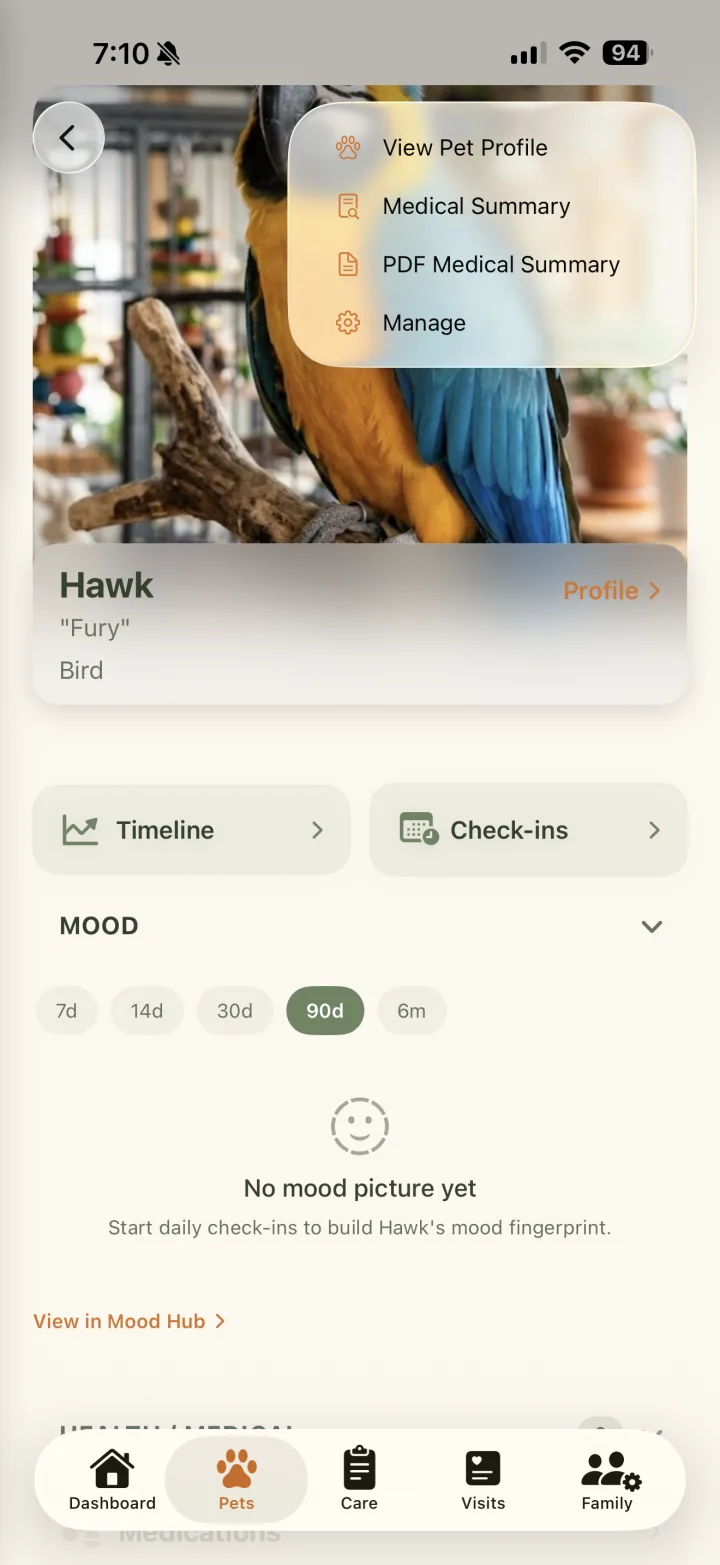
Open your pet's Manage menu
From Pets, open the pet you are transferring. Tap the menu in the top-right corner, then choose Manage.
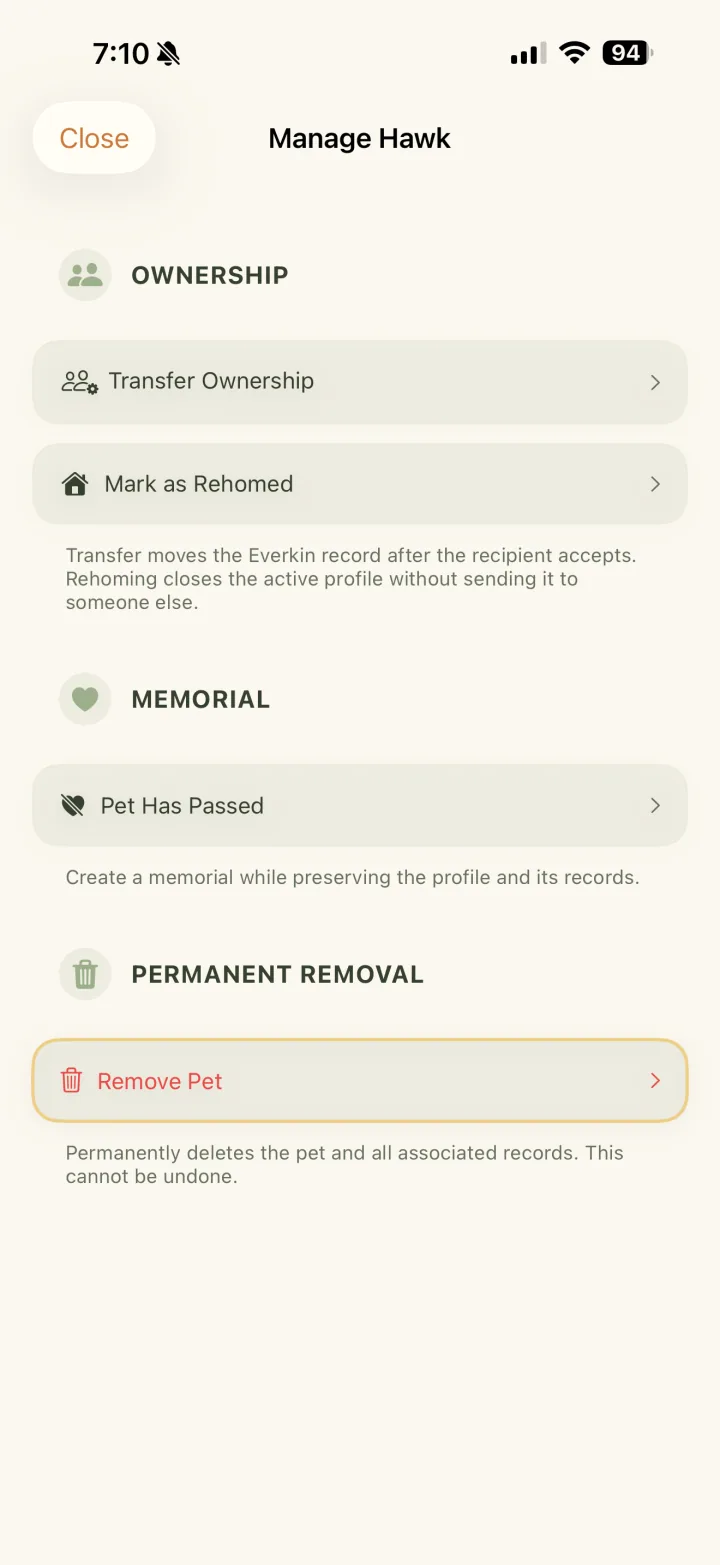
Choose Transfer Ownership
In the Ownership section, tap Transfer Ownership. This starts a handoff without removing the pet from your household yet.
Create a private code
Review how the handoff works, then tap Create Transfer Code. The pet and their records stay with you while the transfer is waiting.
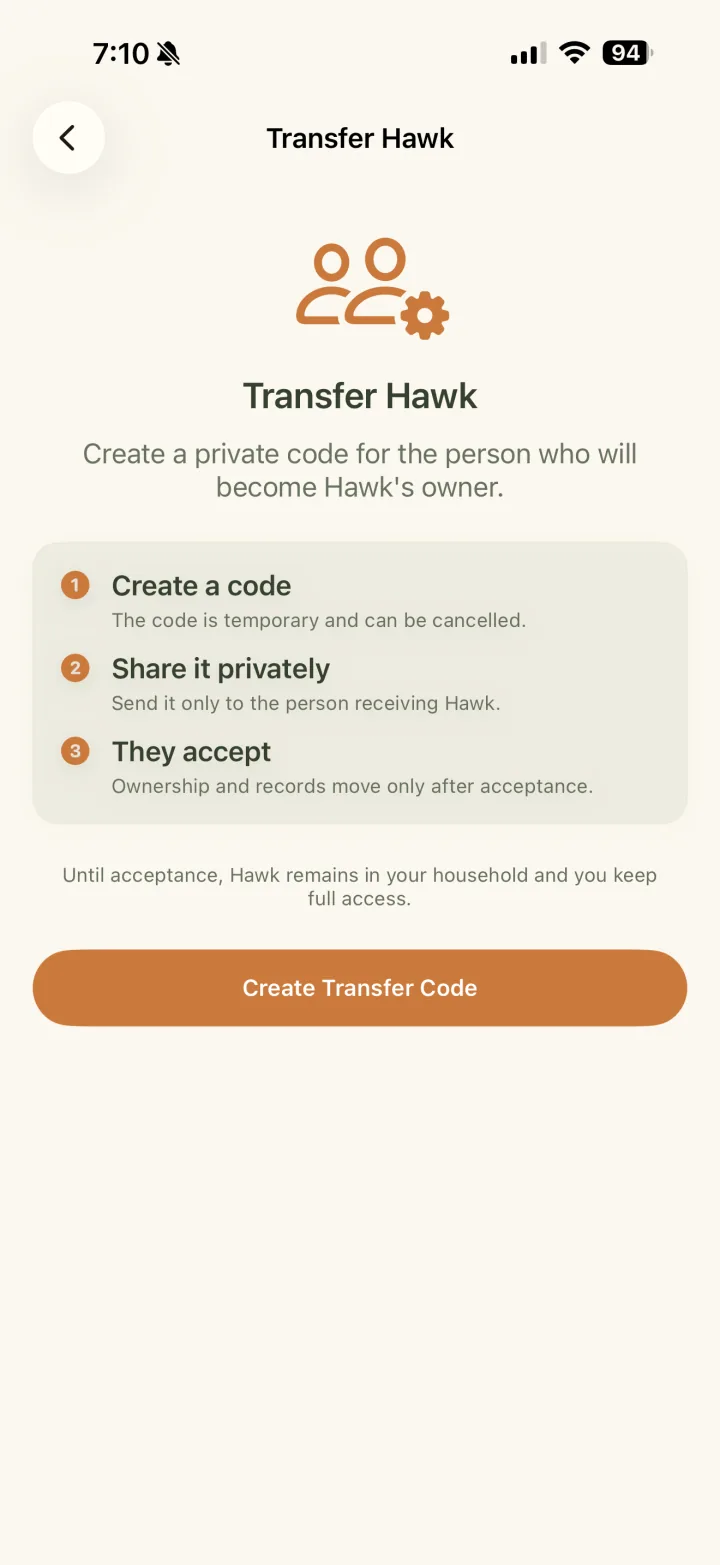
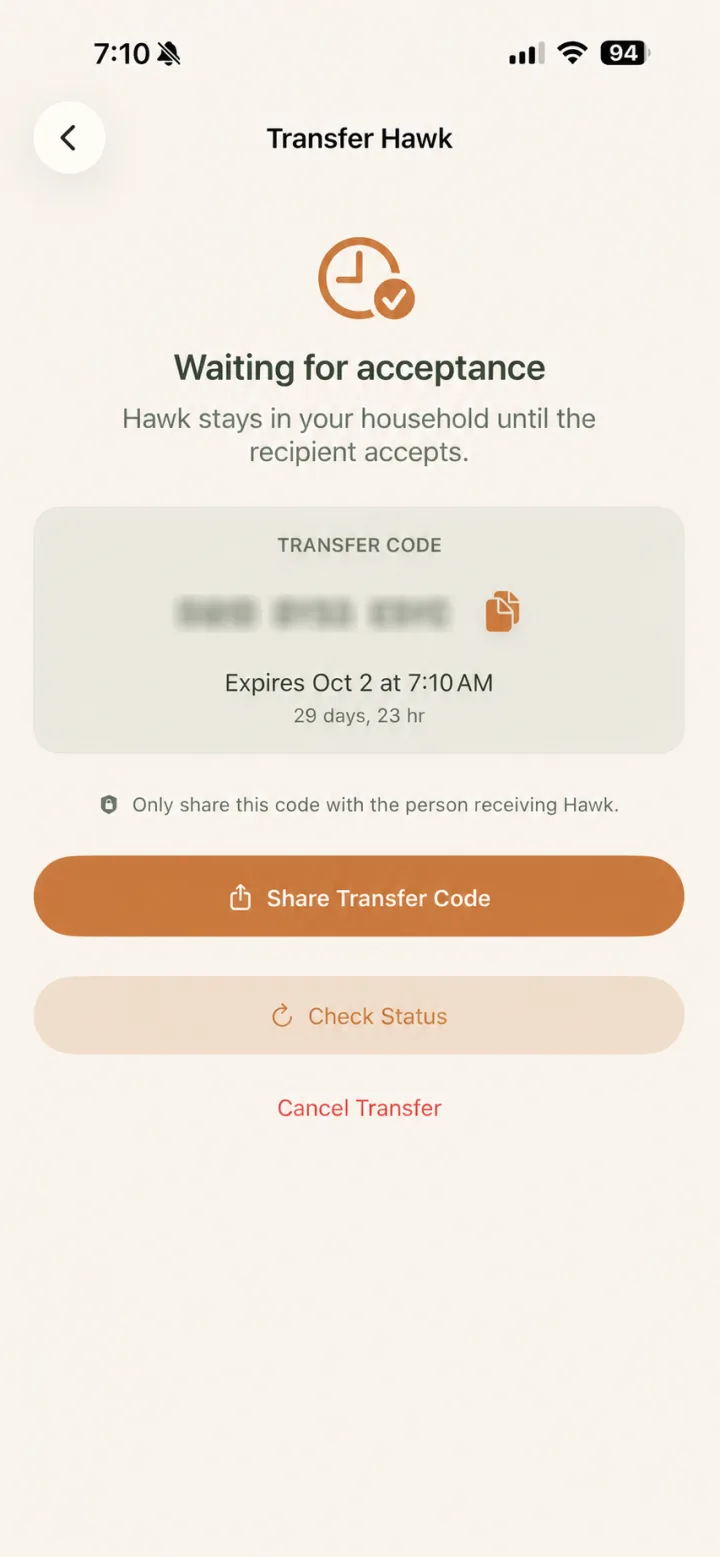
Share it with the new owner
Copy or share the code only with the person receiving the pet. It expires after 30 days, and you can check its status or cancel while it is pending.
The handoff happens when they accept.
Until then, the pet stays safely in your household. Keep the code private and share it only with the person receiving them.
For the new owner
You will see who is coming before anything changes. Review the handoff carefully, then accept when you are ready.
Open Receive a Pet
On the Pets tab, open the menu in the top-right corner. Expand Other, then choose Receive a Pet.
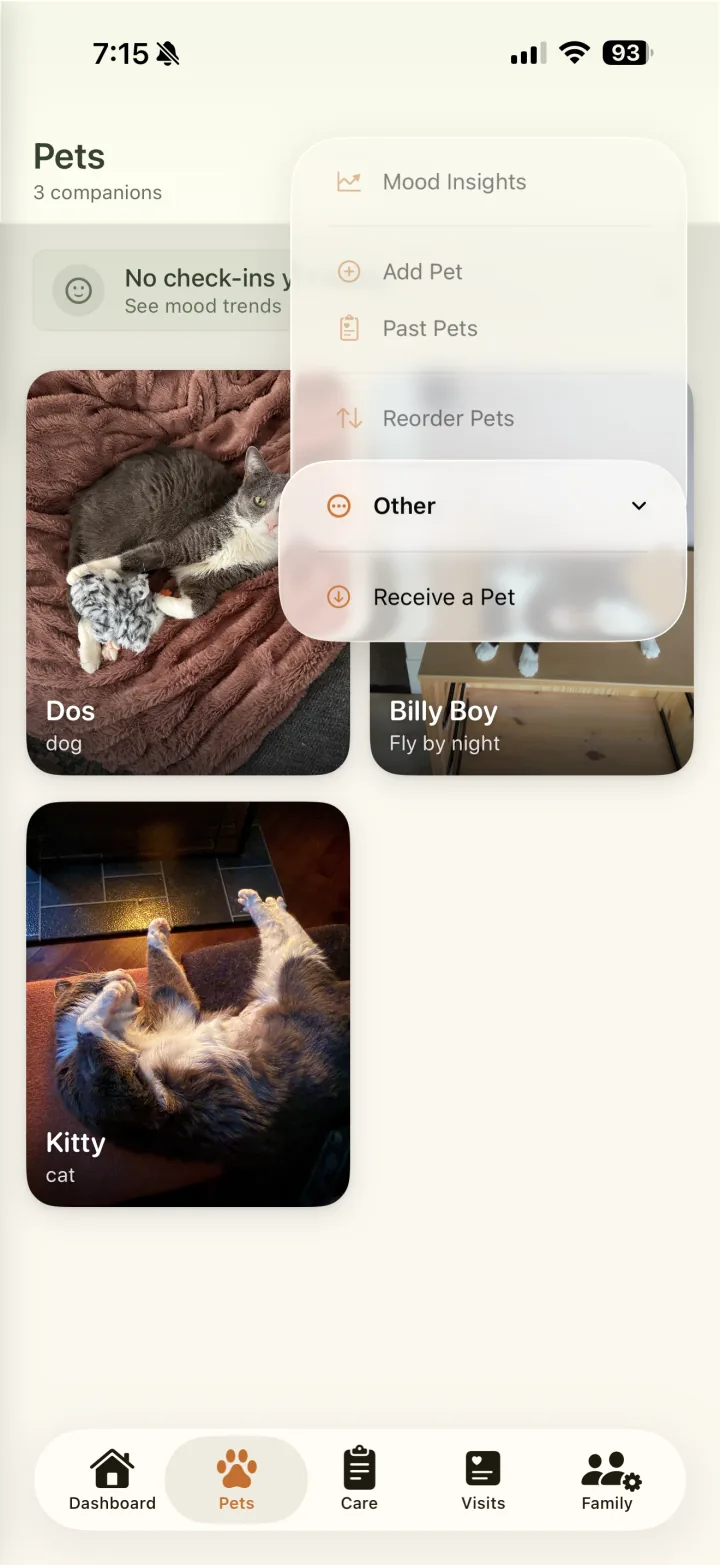
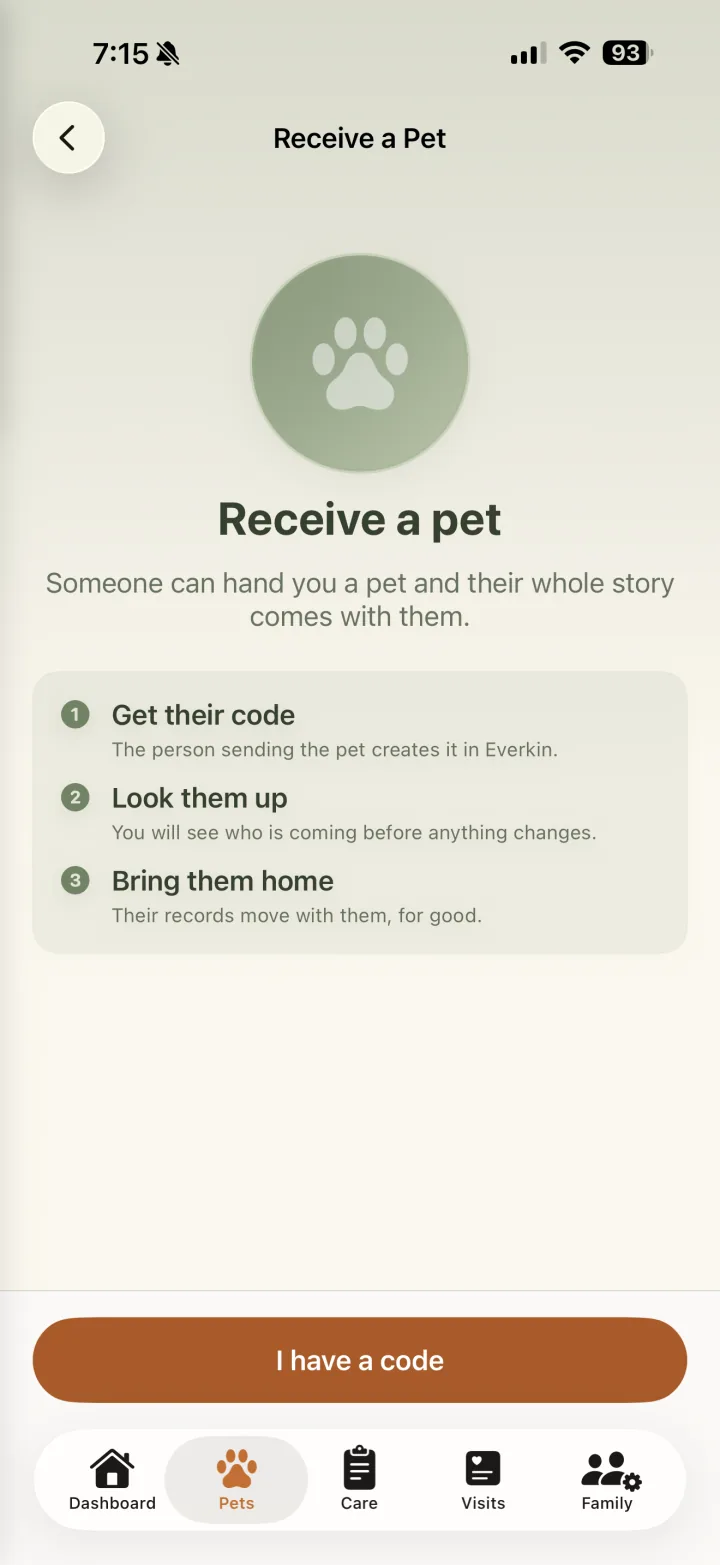
Start receiving with a code
Tap I have a code. On the next screen, enter the code the current owner shared with you so Everkin can look up the pet before anything changes.
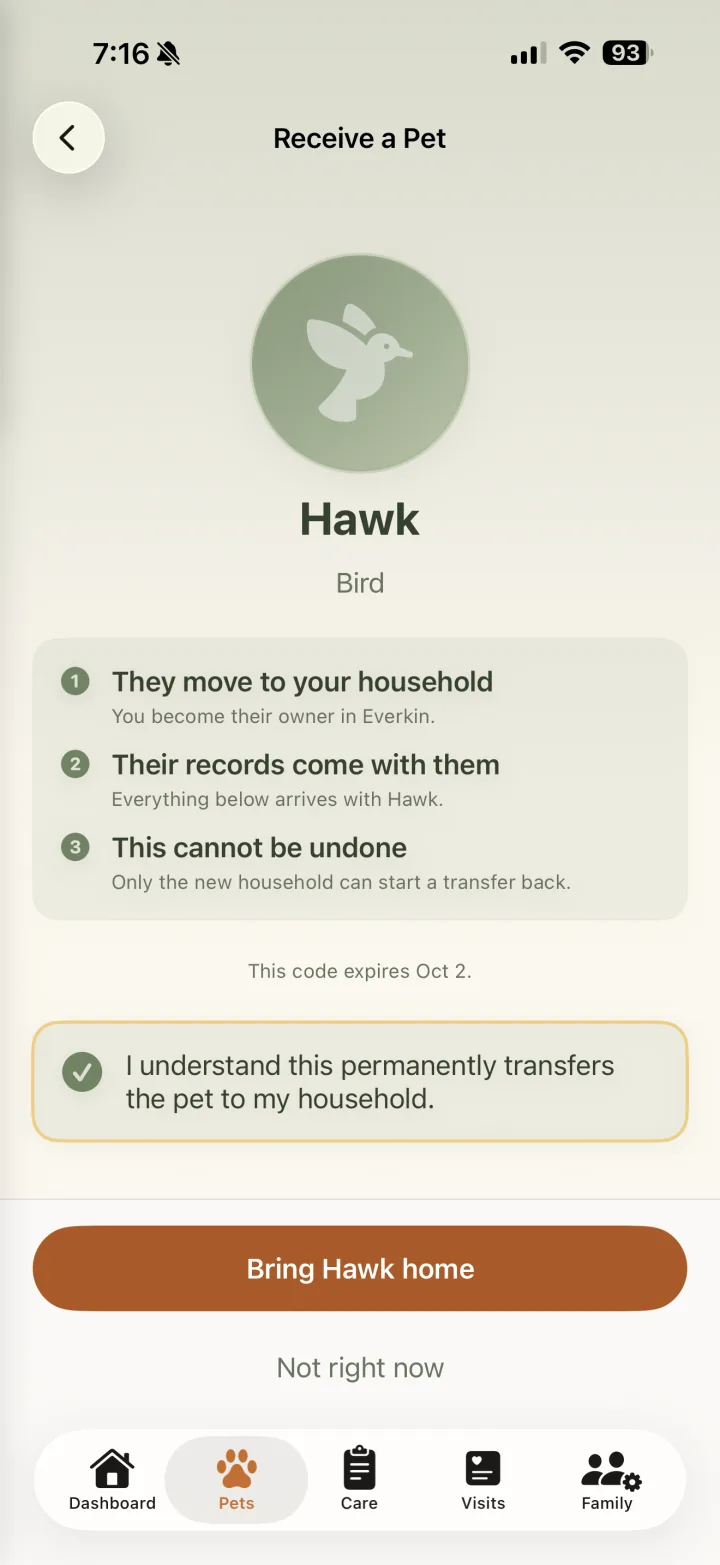
Review and accept
Confirm the pet's name and species, read what will move, select the acknowledgment, then tap Bring them home.
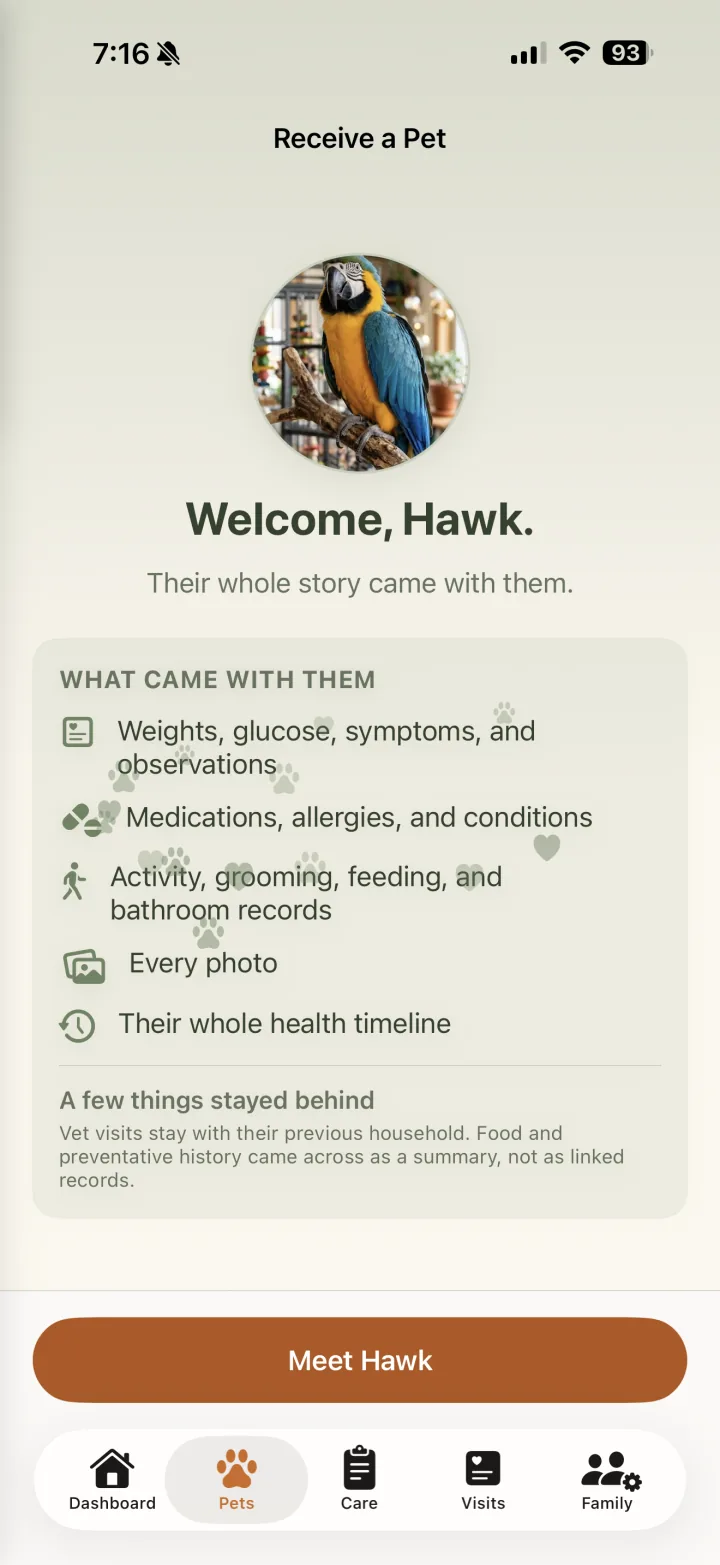
Welcome them to your household
The welcome screen confirms the transfer and summarizes what arrived. Health history, photos, and the timeline move with the pet. Vet visits stay with the previous household, while food and preventative history arrives as a summary.
Pet transfer questions
When does the pet leave the current household?
Only after the new owner accepts. Until then, the pet remains in the current household with full access to their Everkin record.
How long does a transfer code work?
A transfer code expires 30 days after it is created. The current owner can check its status, recover the pending code, or cancel the transfer before acceptance.
Who can send or receive a pet?
An owner or admin can initiate a transfer from the current household. An owner or admin in the receiving household can preview and accept it.
What records move with the pet?
The pet profile, weights, glucose data, symptoms and observations, medications, allergies, conditions, activities, grooming, bathroom and feeding history, photos, and health timeline move with the pet. The receiving screen explains the smaller set of information that stays behind or arrives as a summary.
Can a completed transfer be undone?
A completed transfer cannot be cancelled. If the pet needs to return, the new household must start a new transfer back.
Keep their whole story moving with them.
Everkin keeps the handoff private, clear, and complete for both households.